Notion Web Clipper alternative: an honest comparison
The official clipper is free, first-party and installed a million times. This page explains where it genuinely wins, where it reliably fails, and how to decide whether swapping is worth the setup cost.
Start with the official clipper's actual track record
The Notion Web Clipper holds a 3.3★ average across 618 ratings with roughly 1,000,000 installs (public Chrome Web Store reviews, measured Sept 2026). A 3.3 on a first-party tool from a company Notion's size is unusual, so it's worth looking at what the negative reviews actually say rather than guessing.
Across 202 reviews rated three stars or lower, four themes repeat (public Chrome Web Store reviews, measured Sept 2026):
| Recurring complaint | Reviews mentioning it |
|---|---|
| “Stopped working” — worked before, now doesn't | 53 |
| Wrong or partial content extracted | 40 |
| “Go online” error with a live connection | 25 |
| No way to fill database properties while clipping | 18 |
That distribution matters for choosing a tool. These aren't exotic edge cases on obscure sites — they are the ordinary clipping workflow breaking. If none of them have ever bitten you, the honest answer is that you don't need an alternative and should stop reading here.
Three things the official clipper does better
Any comparison that claims a one-person project beats a first-party tool on every axis is selling you something. It doesn't, and here's specifically where:
1. Setup is genuinely zero-effort
The official clipper uses your existing Notion login. You install it, you authorise once in a browser popup, and you're clipping. Clipwise asks you to create a free internal integration token in your Notion settings and share your target database with it. That's a real five-minute task involving a settings page most people have never opened. If you want something that works thirty seconds after install, the official clipper wins outright.
2. It can clip to anywhere in your workspace
Because it authenticates as you, the official clipper sees every page and database you have access to, including ones created after you installed it. Clipwise only sees what you explicitly share with your integration. Add a new database later and you have to go share it — the clip target won't just appear.
3. Cross-browser and mobile
Notion ships clipping on Chrome, Firefox, Safari and in its mobile apps via the share sheet. Clipwise is a Chrome MV3 extension and nothing else at version 1.0. If you clip from your phone or live in Safari, this is the end of the comparison.
Short version: if your clips arrive complete and you clip from several devices, keep the official clipper. The case for switching is narrow and specific: you clip structured articles on desktop Chrome, you need properties set at clip time, or you've lost clips to connection errors.
Where Clipwise is built differently
Extraction is layered, not single-pass
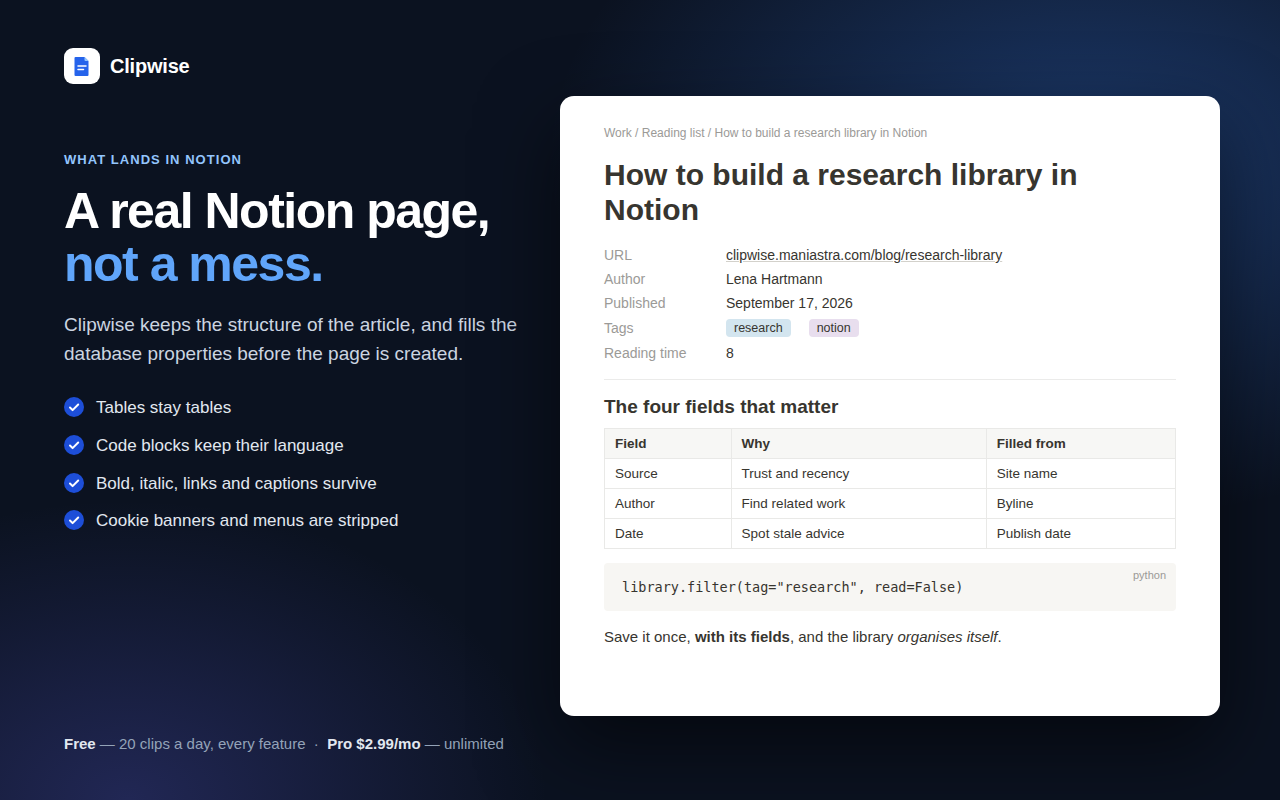
“Wrong content” usually means a single readability pass grabbed the wrong DOM subtree — a sidebar, a cookie banner, the headline alone. Clipwise runs four stages: per-site adapters where one exists, then Readability, then a dedicated table extractor, then a link-density filter that discards navigation-heavy blocks. Tables arrive as Notion tables, code blocks keep their language, figure captions come along.
This is a difference in approach, not a guarantee. Some pages defeat all four stages. For those, selecting the text you want before clipping always works, because selection skips extraction entirely.
Properties are editable before the page exists
Clipwise reads your destination database's schema, pre-fills the properties it can infer, and shows you the form before anything is created. You fix the title, pick tags, set a status and a date, then save once. The 18 reviews asking for exactly this are asking for a pre-save form, and that is what it is.
A failed save is queued, not discarded
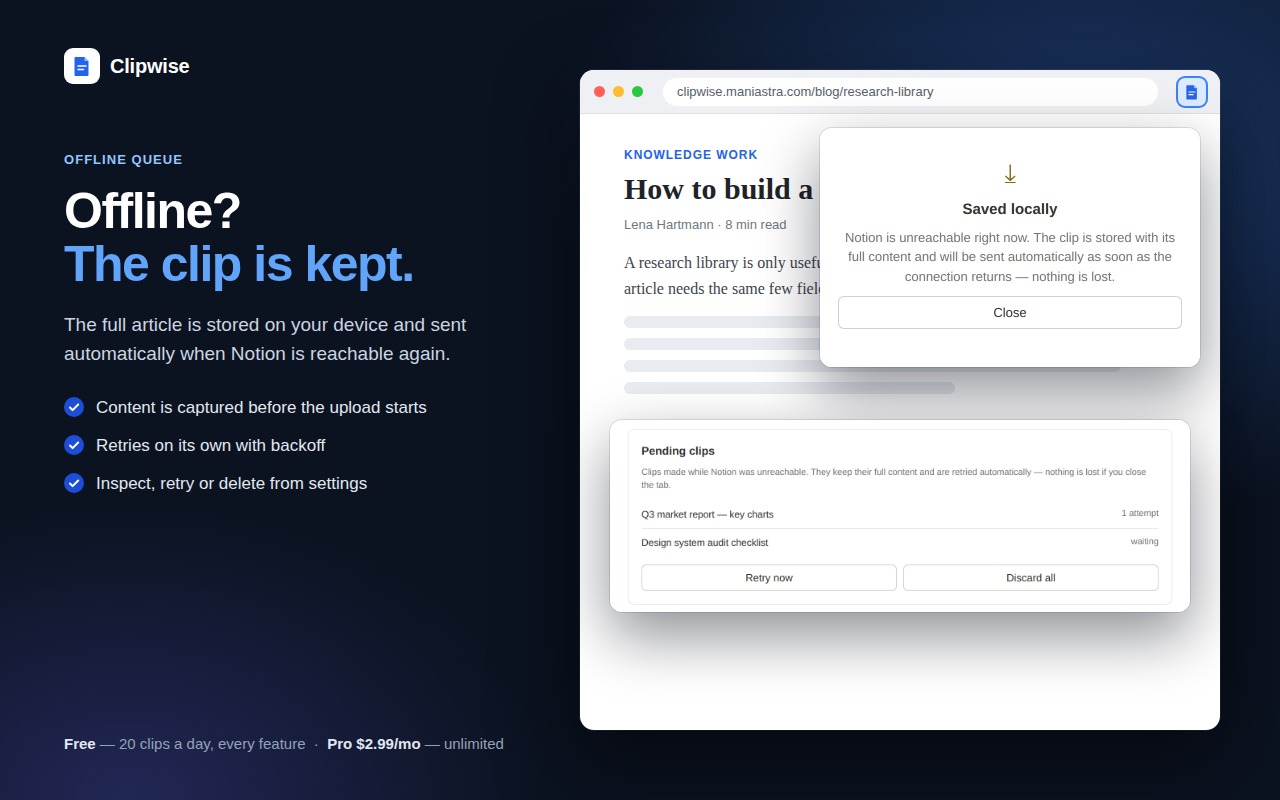
When a save fails, Clipwise keeps the already-extracted content in a local queue and retries with exponential backoff. The clip waits for the network instead of being thrown away. This is the design answer to the 25 “go online” reviews — whatever causes that error, the content survives it.
Workspace is explicit
Connect several Notion accounts and the target workspace is visible in the popup before you save. Multi-workspace misrouting is a quieter complaint in the review data (5 mentions) but an expensive one, because you don't notice until you go looking for the clip.
Side by side
| Notion Web Clipper | Clipwise | |
|---|---|---|
| Setup | Sign in once | Integration token + share database |
| Browsers | Chrome, Firefox, Safari, mobile | Chrome only (v1.0) |
| Clip destinations | Anything you can see | Databases shared with your integration |
| Edit properties before saving | No | Yes, pre-filled form |
| Failed save | Error, clip lost | Queued and retried |
| Tables & code blocks | Often flattened | Preserved |
| Clip selected text only | Partial | Yes |
| Price | Free | Free to 20 clips/day, Pro $2.99/mo |
A note on what Clipwise is
It's a new extension built by one person, with four users and no reviews yet. There's no track record to point at and no reason to take a marketing claim on faith. What you can check cheaply: install it, clip the five pages that annoy you most on the official clipper, and compare. The free tier covers 20 clips a day with every feature enabled, so the test costs nothing but the setup time described above.
Clipwise has no backend. Clips go from your browser straight to api.notion.com, and the Pro licence is verified on-device. That's a privacy property, but it's also why the integration token exists — there's no server to hold an OAuth session for you.
Next steps
- How to save articles to Notion — the full setup, including the integration token
- Notion Web Clipper not working — fixes for the official clipper's known failures
- Clipping to Notion offline — why “go online” appears and what to do